How to translate product metafields
Metafields hold extra data on your products, collections, and other resources — things like a subtitle, a care guide, or content added by another app. Lokalize can translate the metafields that contain customer-facing text, while leaving the ones that power app or theme logic untouched.
Translate metafields in a bulk job
For example, let's say you want to translate the metafield test_data.binding_mount across all products.
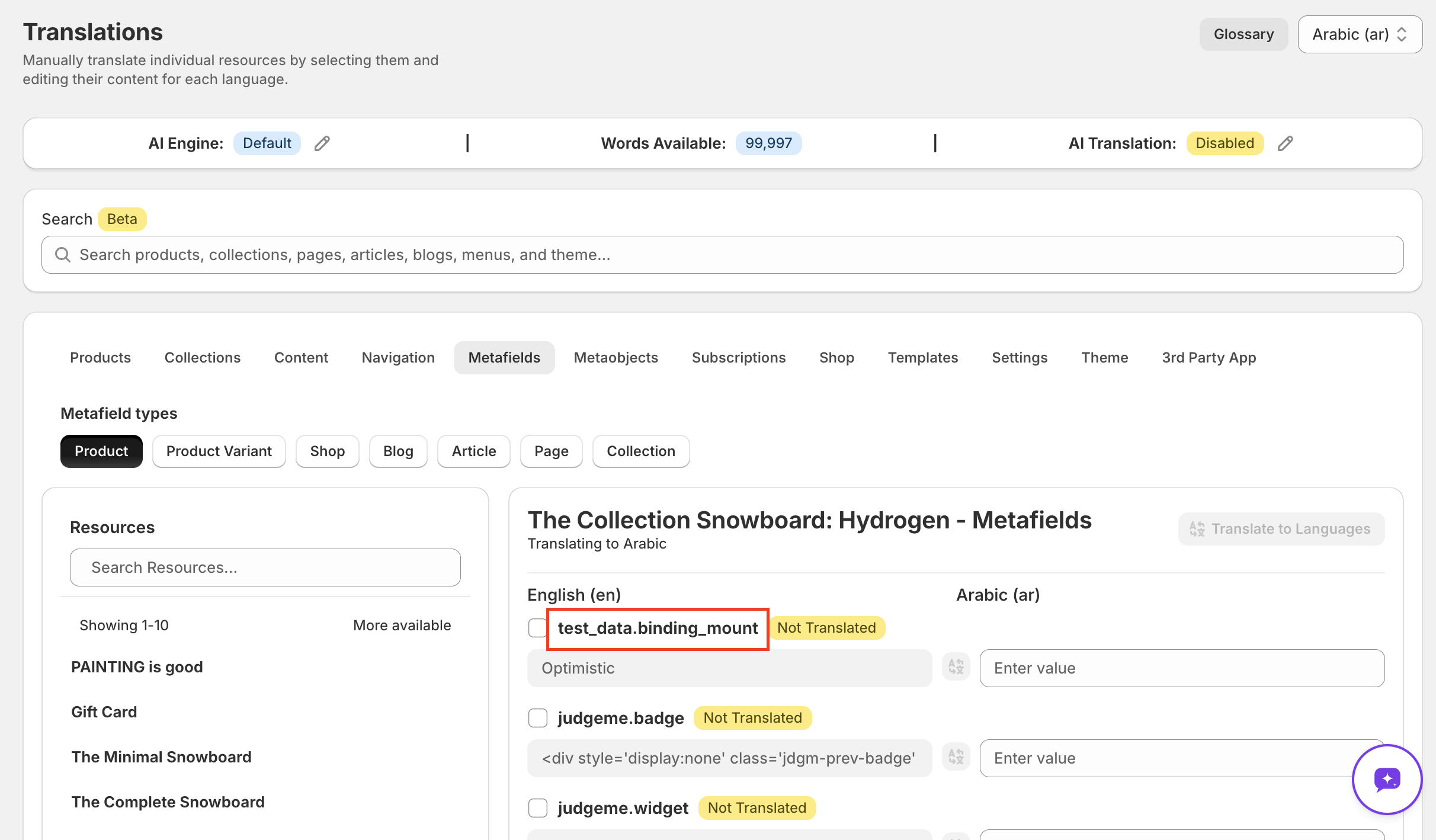
- Open Lokalize → Bulk Translate.
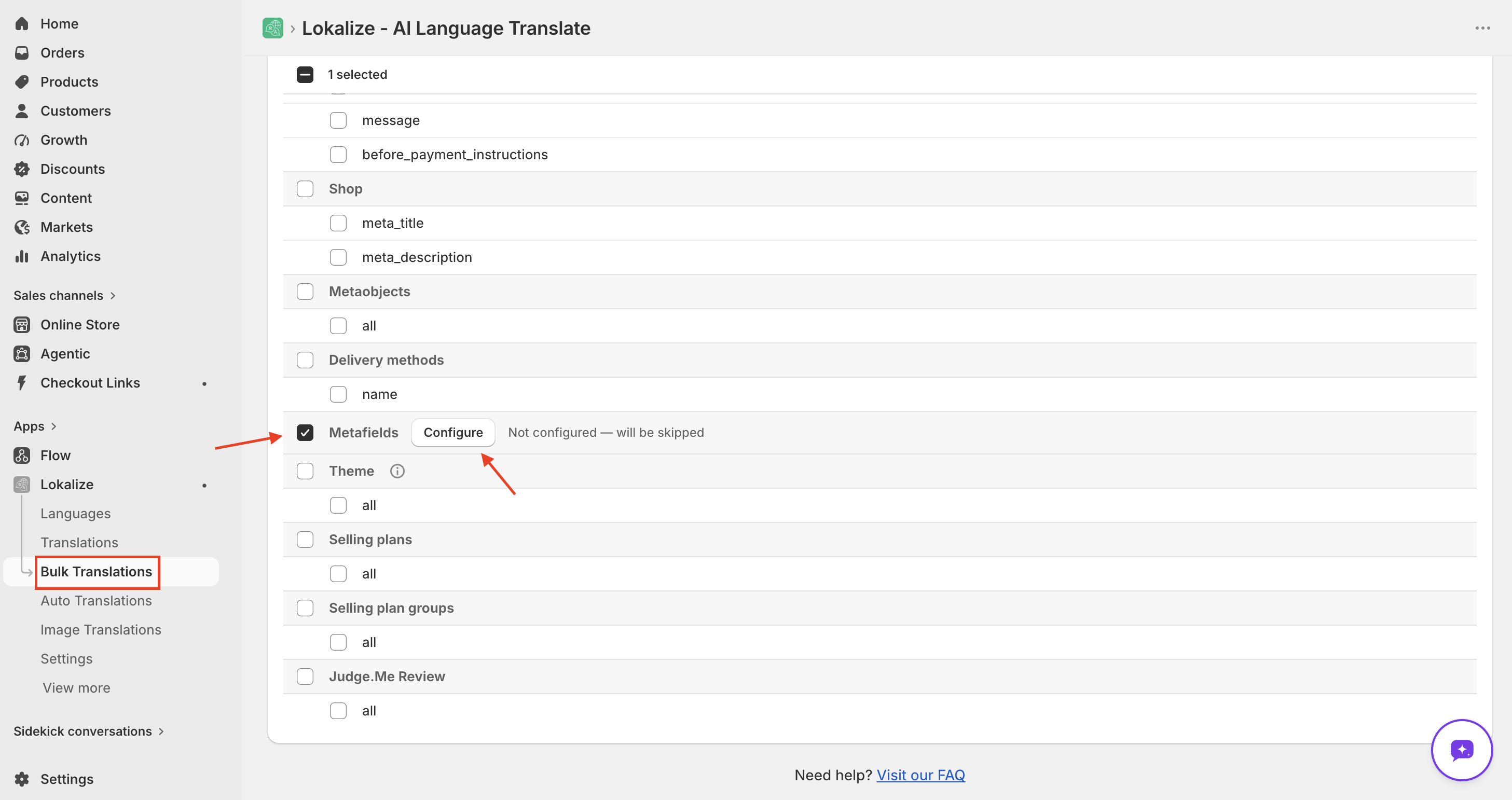
- Tick the Metafields row, then click Configure.
- Choose an owner type — Products, Collections, Blogs, Articles, or Pages.
- Add one or more namespace.key entries, for example
test_data.binding_mountormycustom.subtitle.
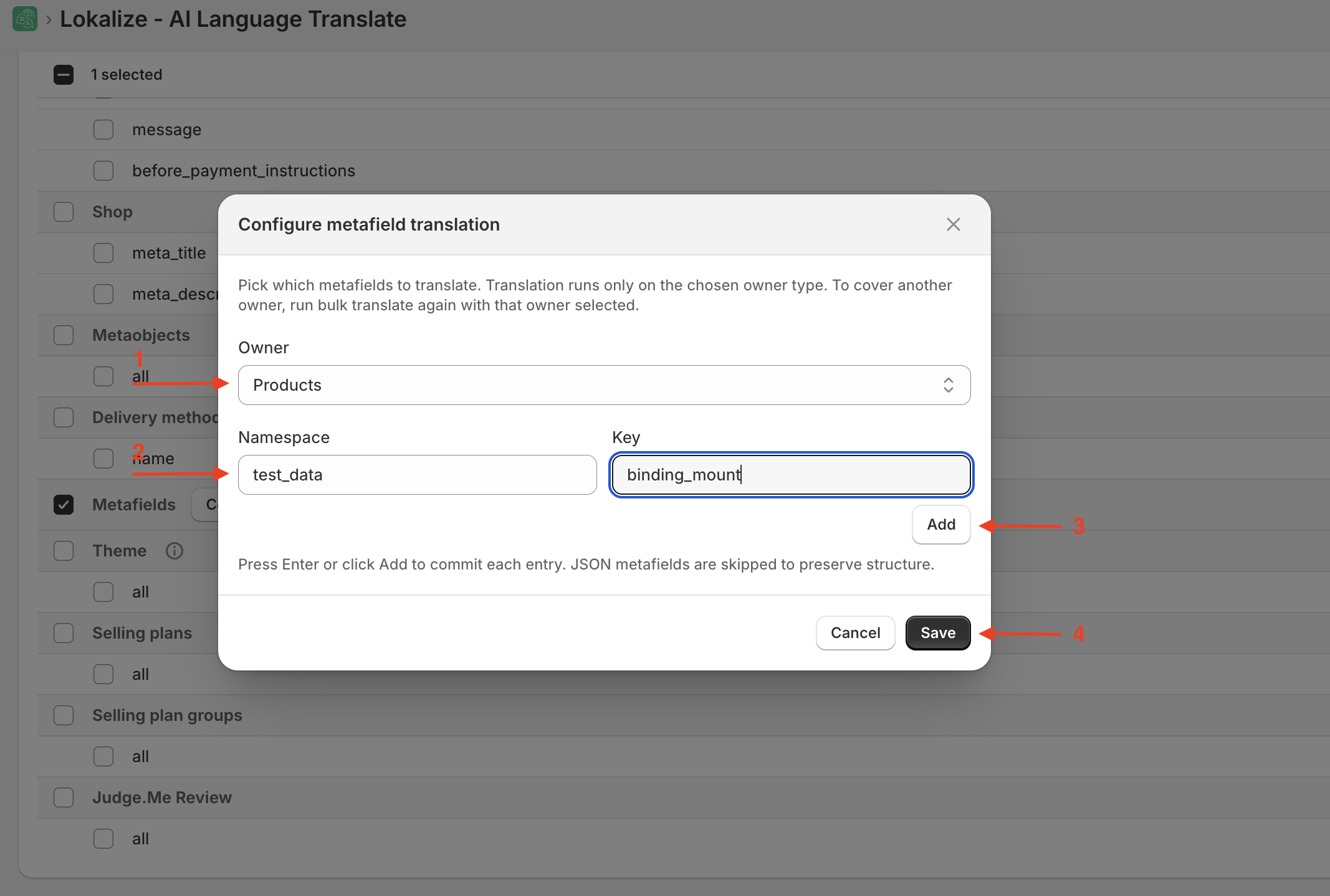
- Save the modal, then click Translate.
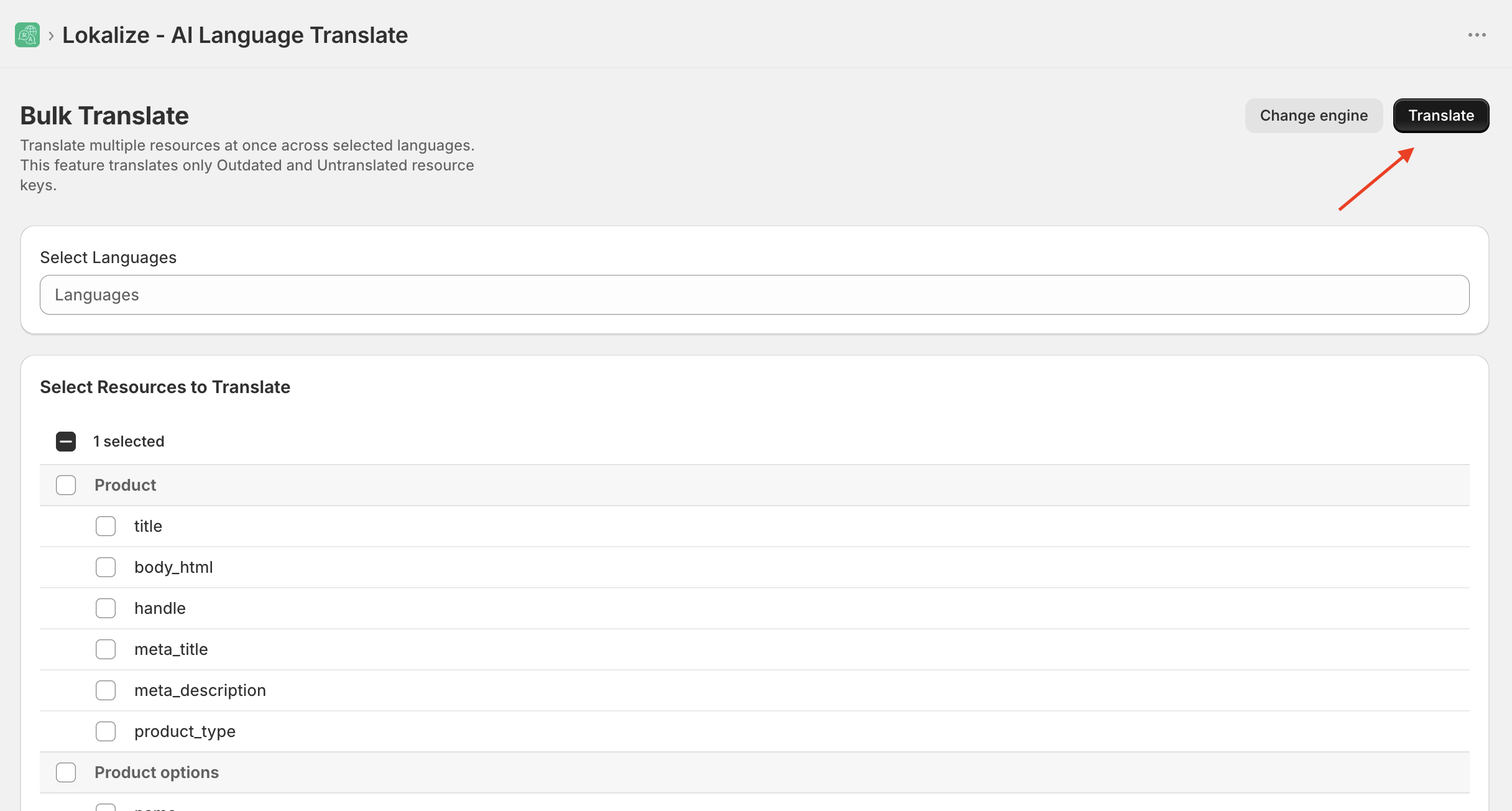
The job walks every owner of the chosen type, finds metafields matching your entries, and translates only those.
Why you have to list namespace.key entries
Many apps and themes attach metafields to your resources for internal logic, layout configuration, or programmatic identifiers. Translating those would break functionality.
Requiring you to list the exact namespace.key combinations you want translated is a safety gate: it guarantees only the metafields you intend — typically display content like review widgets or product descriptions — ever reach the translation engine.
JSON metafields are skipped
If a metafield's value is JSON, it's skipped during bulk translation. Running a raw JSON blob through a text engine almost always corrupts its structure, which would break the app or theme that reads it.
If you need to translate values inside a JSON metafield edit individual values from the Translations page.
Frequently asked questions
Why do I need to enter namespace.key entries?
Many apps and themes attach metafields to your resources for internal logic, layout configuration, or programmatic identifiers — translating those would break functionality. Requiring you to list exact namespace.key combinations ensures only the metafields you intend, typically display content like product subtitles or review widgets, ever reach the translation engine.
What happens if my metafield value is JSON?
JSON metafields are skipped during bulk translation. Translating a raw JSON blob through a text engine almost always corrupts its structure, which would break the app or theme that reads it. To translate values inside a JSON metafield, edit individual values from the Translations page.
Can I choose which fields to translate?
Yes. For each resource type in Bulk Translate you can translate all fields or select specific ones — such as title, description, or SEO metadata — to conserve credits.