How to manually translate your store
Sometimes you want full control over the wording. The Translations page lets you browse your store content language by language and edit any field by hand — or translate a single field with AI when you want a quick draft.
View and edit translations
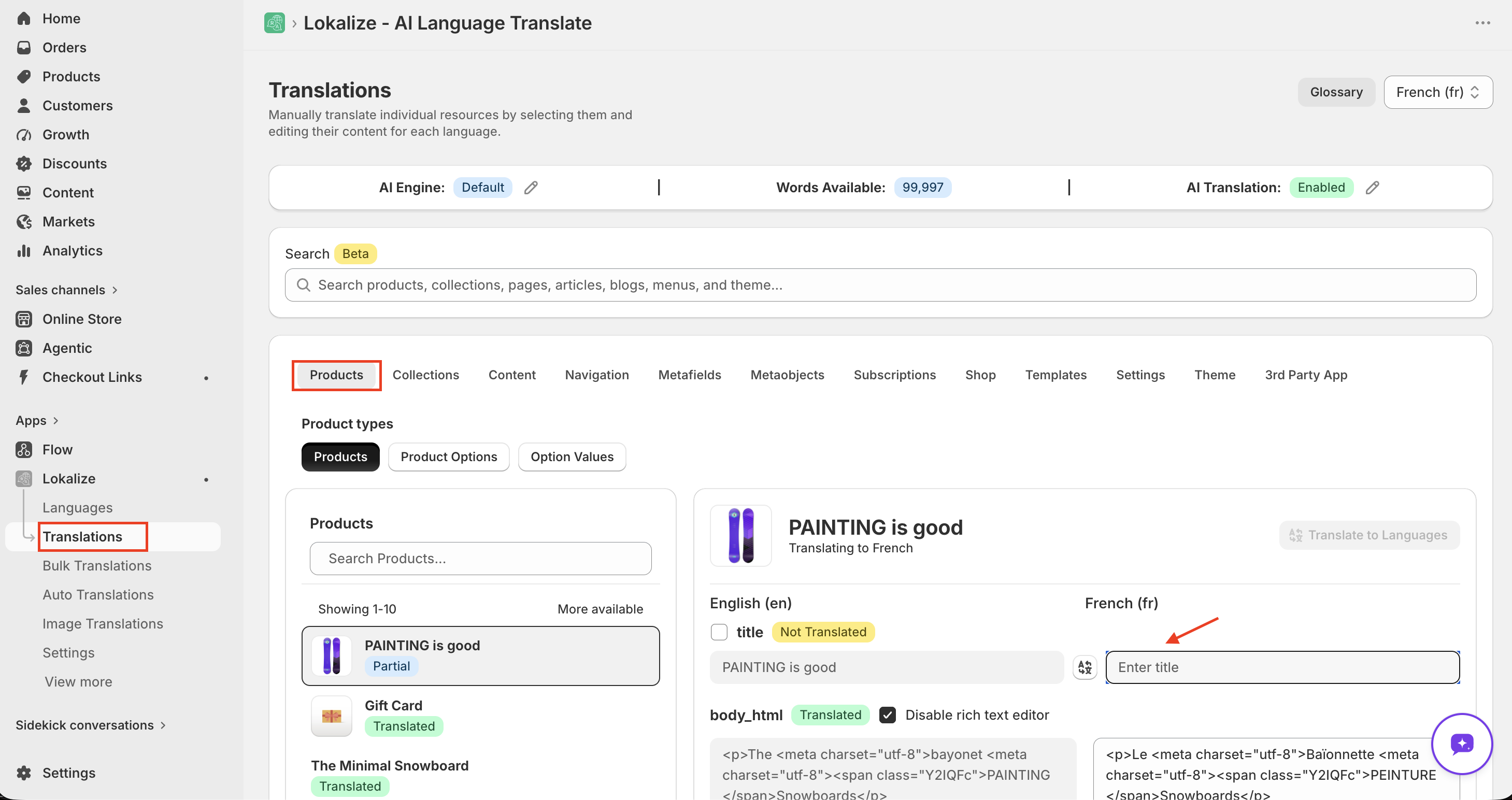
- Open Lokalize → Translations.
- Select the language you want to work in.
- Browse the sections — Products, Collections, Pages, Theme, Shop, and more.
- Edit any field, then save your changes.
Your translations are stored in Shopify, not on our servers. They stay published on your storefront even if you unpublish the language or uninstall the app.
Translate a single field with AI
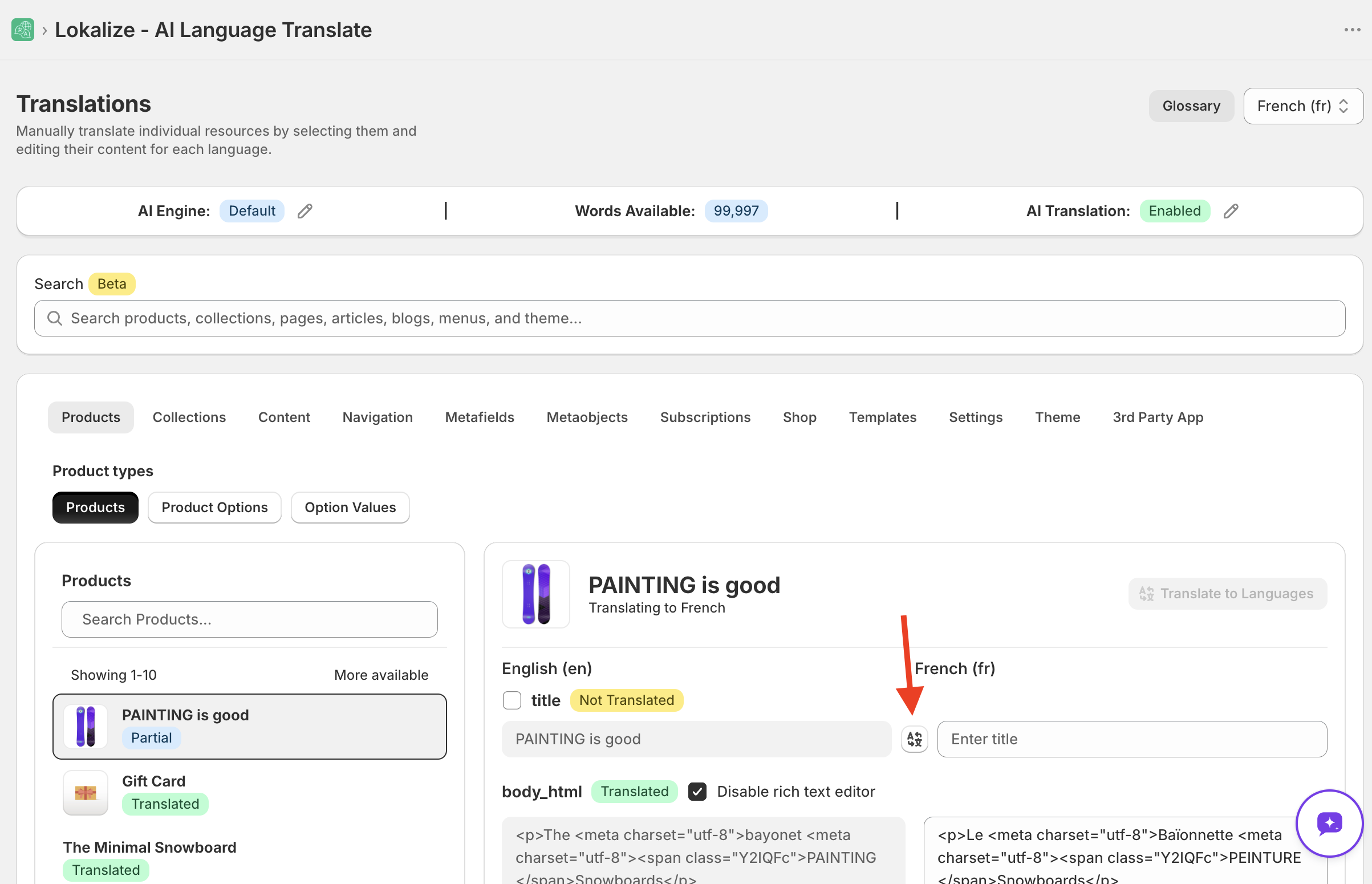
Next to a translatable field you'll find an AI translate button. Click it to have Lokalize translate that field into the selected language automatically.
- AI translation is only available for AI-enabled languages. See How to add a language.
- Each AI translation uses words from your credit balance. Theme content is always free.
Manual edits are always free and unlimited — type or paste any translation yourself, on any language.
Where to find specific content
- Homepage content lives under Translations → Theme → Theme sections (for example, the Homepage section). Use search to jump to a specific resource.
- Homepage meta title and description are under Translations → Shop.
- URLs (handles) are translatable for Products, Collections, Pages, Blogs, and Articles — edit them in each resource's section.
- Checkout and system messages are managed by Shopify and surfaced under Translations → Shopify → Checkout where available.
Frequently asked questions
Can Lokalize work alongside Shopify Translate & Adapt?
Yes. Lokalize works alongside Shopify's Translate & Adapt app. Both use the same Shopify Translation API, so translations created in either app are stored in the same place and visible in both. Lokalize offers significantly more features — AI-powered bulk translation, auto-translation, glossary support, image translation, import/export, and more translation engines — as well as broader language coverage than Translate & Adapt.
Can I translate my URLs?
Yes. Shopify supports translatable handles for Products, Collections, Pages, Blogs, and Articles. Edit them in the relevant section on the Translations page.
How do I translate my home page?
Most homepage content lives under Translations → Theme → Theme sections (for example, the Homepage section). Use the search bar to jump directly to a specific resource.
Can I translate my checkout?
Shopify's checkout is professionally translated into 33 languages out of the box. If you need to customize checkout strings, they are surfaced under Translations → Shopify → Checkout where available.